Can the data stay with us?
Yes. VendoCerta installs on infrastructure you control.
Security & GDPR
Data protection in VendoCerta is spread across the product: in how the trail is recorded, in who may see which document, in how a bank account is encrypted, and in what a role deliberately cannot do. This page gathers it in one place — including the parts where the honest answer is “not yet”.
In short
Can the data stay with us?
Yes. VendoCerta installs on infrastructure you control.
How is sensitive data protected?
AES-256-GCM at rest; revealing it requires a re-entered password and a reason logged to the trail.
Who has access to what?
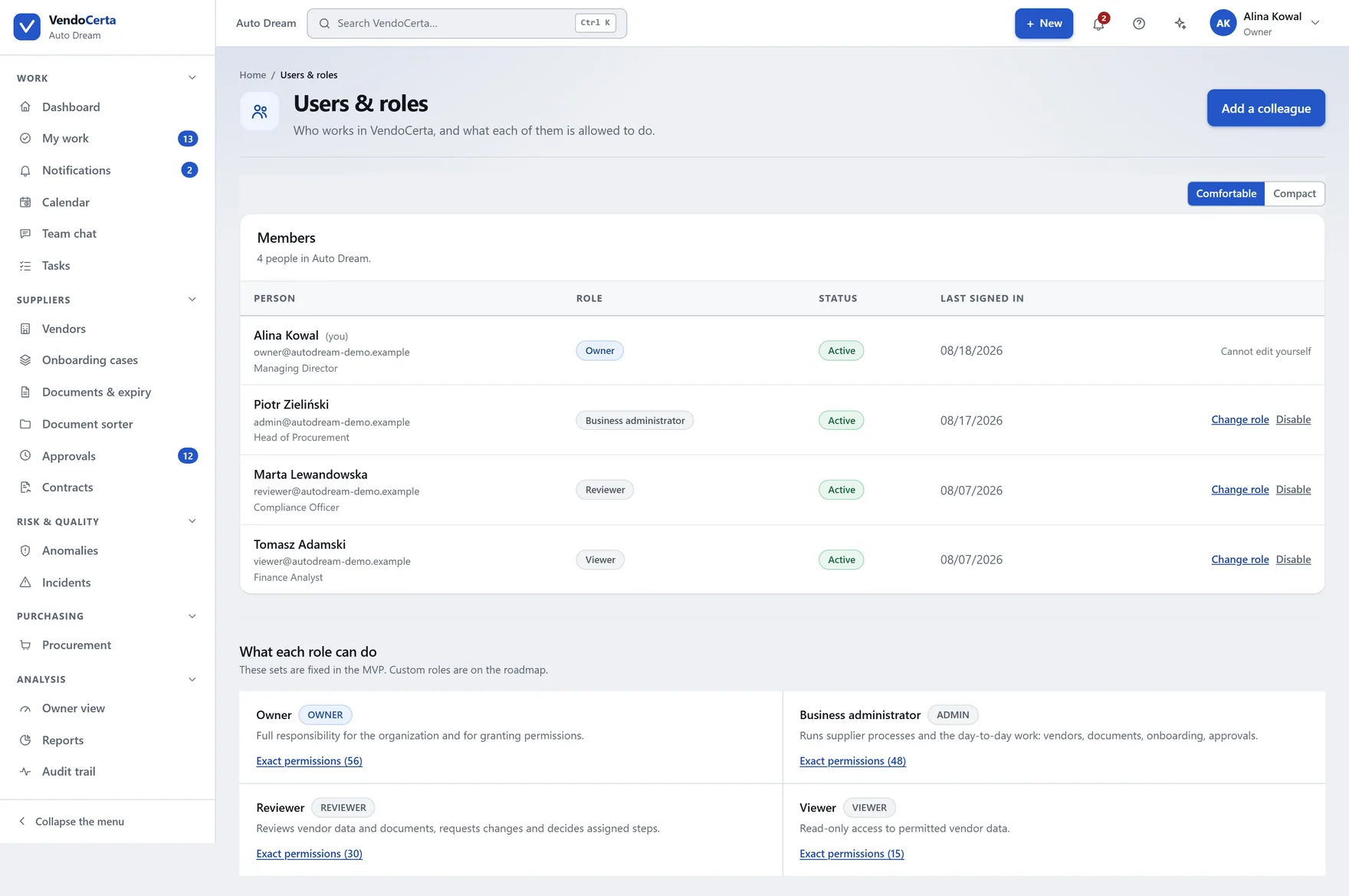
Roles with genuine separation of duties. Nobody can change their own role.
Is there a second factor at sign-in?
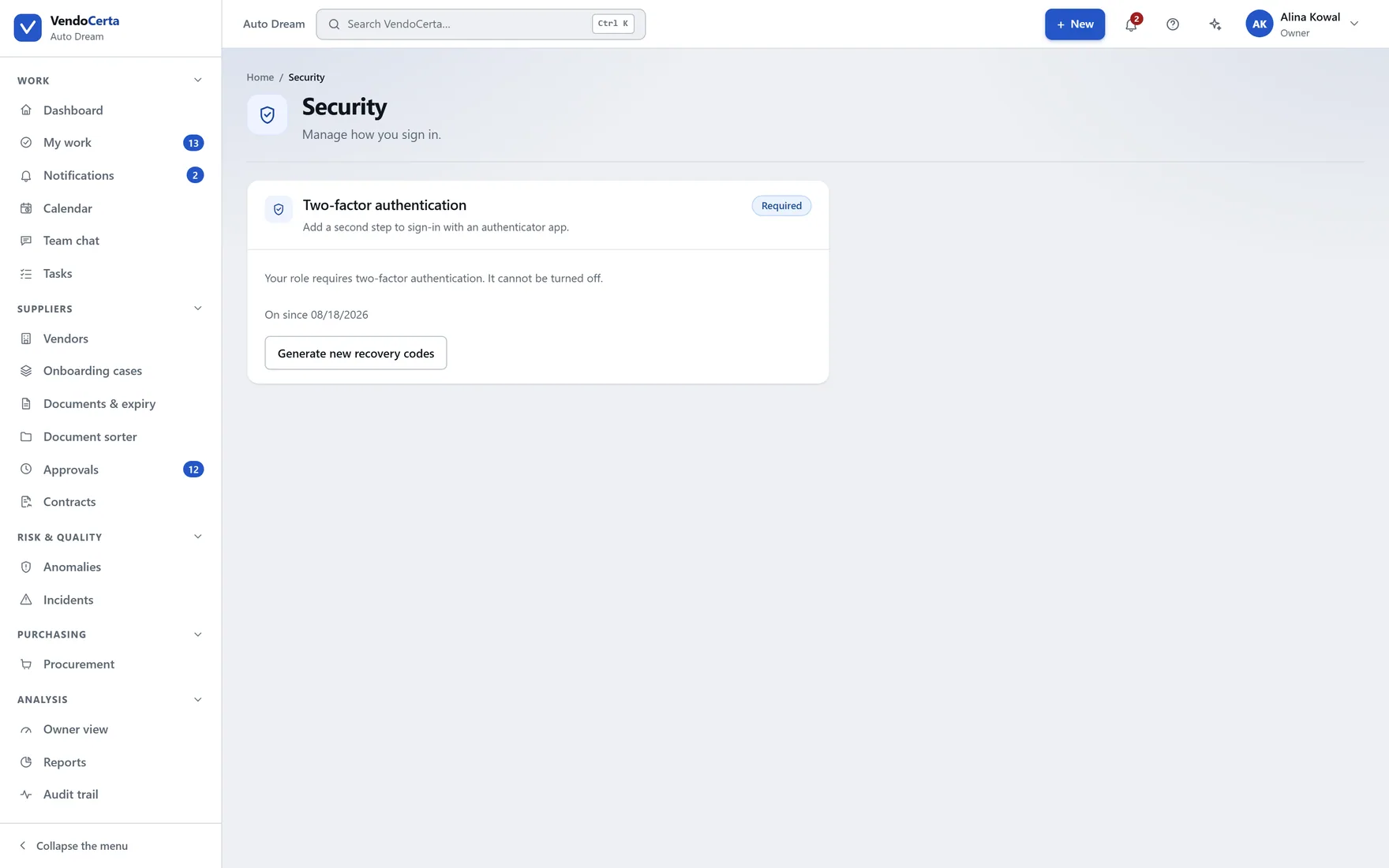
Yes, mandatory for roles with access to business data.
Can one person change a supplier's bank account?
No. Four stages, separated roles, a minimum of two people.
Can the audit trail be corrected?
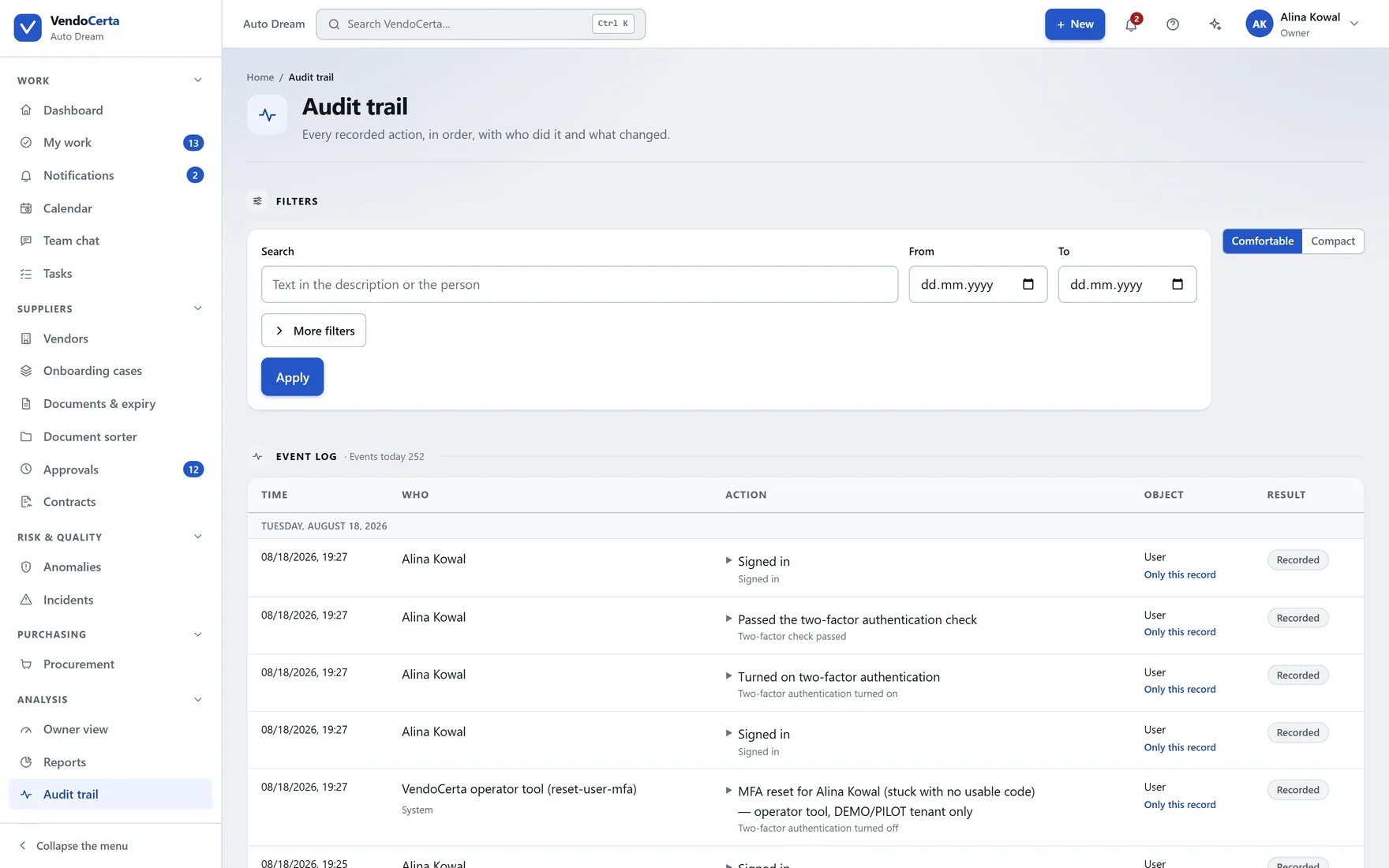
No. There is no edit or delete function in the interface, in any role, not even for the owner.
The record
Every recorded action becomes an entry: a sign-in, a supplier status change, a document decision, an invitation sent, a file downloaded. VendoCerta has no function anywhere to edit or delete one, and never overwrites an existing event.
Payment fraud
Changing a supplier’s bank account is four stages and a rule about who may finish them. Everything else in VendoCerta is designed to remove friction; this is designed to keep it.
Deliberately not a Reviewer. The Propose a change button stays disabled until this supplier has an uploaded document in the “Payment details” category — an account cannot be proposed out of nowhere. The number is typed twice, as a check against a mistyped digit.
Awaiting document confirmation
A Reviewer, Administrator or Owner opens the record and clicks Confirm it matches the document. Judging whether the bank confirmation is genuine is this step’s whole job — the system only requires that the document exists and has a current version.
Awaiting independent verification
Recorded with a stated method: a call back to a contact known beforehand — phone only, never e-mail, because the e-mail account may be exactly what an attacker holds — a confirming letter from the bank, a signed power of attorney, an in-person meeting, or “other”.
Awaiting approval
Nobody who has already appeared in this case may cast the final approval: not the proposer, not the confirmer, not the verifier, not an earlier approver. If the same account number already sits against another supplier, a duplicate warning must be knowingly dismissed before approval is possible at all.
Active account
It is worth stating this precisely, because it is gentler than four stages suggests and the precision is the point. The same person may confirm the document, carry out the verification, and even cast the first approval. There is one hard condition, and it is absolute: nobody who has already appeared in the case may give the final approval.
In practice that guarantees a minimum of two different people when one approval is required, and three when two are — which is the default. Sometimes it takes a genuinely fourth, previously uninvolved person.
An account number is never plain text in the database — AES-256-GCM at rest, from the moment it is stored.
The sensitive-data permission, your password again even though you are signed in, and a stated reason recorded in the trail. The reason is recorded; the number never is. It clears from the screen after 45 seconds.
If the same account number already sits against another supplier, the warning has to be knowingly dismissed before approval becomes possible at all.
Separation of duties
The system administrator keeps the installation running — configuration, diagnostics, backups — and has no visibility into suppliers, documents, cases or bank accounts at all. The exact opposite of the business administrator, who runs the supplier side and cannot restore a backup.
| Capability | Owner | Business administrator | System administrator | Reviewer | Observer |
|---|---|---|---|---|---|
| Sees suppliers and documents | Yes | Yes | — | Yes | Yes |
| Adds and edits suppliers | Yes | Yes | — | — | — |
| Reviews documents and decides on approval | Yes | Yes | — | Yes | — |
| Sees sensitive documents (payment details) | Yes | Yes | — | — | — |
| Manages users and roles | Yes | Yes | Yes | — | — |
| Restores a backup | Yes | — | — | — | — |
Data protection
Ordinary supplier documents are visible to anyone with access to the record. Documents marked sensitive — chiefly payment-related — need a separate permission on top, which in practice means owner and administrator only. Trying to open one without it produces a refusal, and the refusal is recorded.
A download goes through a digitally signed link valid for a few minutes and tied to your own company. Opening it from another context gets nowhere. Every download of a sensitive file is audited separately.
The documents-and-retention setting defaults to 2,555 days, matching typical procurement audit requirements, and can be changed at any time. Honestly: today it records your policy and will drive future housekeeping — nothing is deleted automatically because the date passed.
An invitation link is a random token with a limited life, a week by default — deliberately not single-use, so a supplier can return to an unfinished form with the same link instead of signing in again. Sending a new invitation invalidates the previous one immediately, even if somebody had opened it — and that is currently the only way to cut a link off; there is no separate revoke button.
AES-256-GCM from the moment of saving. The stated reason for revealing a number goes into the audit trail; the number itself never does.
The diagnostics tab of the system centre produces a report for technical support containing versions, counts and masked log lines — never document contents, banking details or suppliers’ personal data.
For your security team
No. It installs onto a machine you control. PostgreSQL, object storage and the mail preview run as portable binaries inside the project folder — nothing installed into Windows, no administrator rights, Docker optional. Internet access is needed on first run to fetch those services, and after that the installation is yours.
Yes. The installation ships with the security model and threat model as documents in the repository — the same sources this page is drawn from. Ask whoever maintains your installation, or ask us on the demo form and say it is for a security review.
Only what the person asking may already see, and it never carries out an action without that person’s explicit confirmation — permissions are re-checked at the moment of the click, against the person clicking. It cannot approve, reject or suspend a supplier, cannot change a role, and cannot delete anything.
No. For the roles where the second factor is mandatory it is mandatory on every route into the account, including after a reset.
Into a local preview inbox on the installation itself, not to real recipients — so a pilot cannot accidentally e-mail a supplier. The system centre’s installation tab says which mailbox an installation is actually using.
We would rather answer it before the demo than during it.